Introduction to the Command Center API
Authenticate and configure the Cloud Secure Edge (CSE) via the API
- Last validated: Aug 3, 2026
What the Command Center API is
The Command Center API is an HTTP interface for authenticating to and configuring Cloud Secure Edge (CSE) programmatically, rather than through the Command Center web console.
The API lets administrators and integrations automate CSE tasks that would otherwise require manual work in the console, such as retrieving events or managing configuration at scale. Because it exposes the same platform operations as the console, it is suited to scripting, integration with other systems, and repeatable, auditable workflows.
How it works
- Choose the Command Center domain for your organization and the API version path (
/api/v1/or/api/v2/). - Authenticate every request with an HTTP Bearer token, obtained either through the refresh token mechanism or through a long-lived API key.
- Send requests to an endpoint formed by concatenating the domain, the version path, and the endpoint name.
Choosing an authentication method
- Use the refresh token mechanism when a person authenticates interactively: a long-lived Personal Refresh Token is exchanged for a short-lived Access Token for each session.
- Use a long-lived API key for automation and integrations, where the key carries a privilege level defined by its scope.
For the full list of endpoints and their parameters, refer to the CSE API specification.
API Endpoint
Command Center Domain
The Command Center domain is: https://net.banyanops.com
If your organization is provisioned on a different Command Center, you should use the specific domain of your Command Center.
API Versions
Cloud Secure Edge’s APIs (formerly Banyan APIs) are versioned with a single number; we currently support 2 API versions - available at /api/v1/ and /api/v2/.
To access a given API endpoint, concatenate the Command Center domain, the API version path, and the endpoint name. For example, the Events API is available via the v1 endpoint at: https://net.banyanops.com/api/v1/events.
API Authentication
The CSE API supports HTTP Bearer authentication via a refresh token mechanism as well as long-lived API keys with scopes.
Option A - Authentication via Refresh Token Mechanism
To authenticate using the refresh token mechanism, there is a two-step process:
- Generate a long-lived Personal Refresh Token via the “My Profile” page on the Cloud Command Center
- Use the Personal Refresh Token to receive a short-lived JSON Web Token (JWT) Access Token that can access the API
To generate a Personal Refresh Token, log into your instance of the Command Center; navigate to the My Profile page, and then select Generate Token.
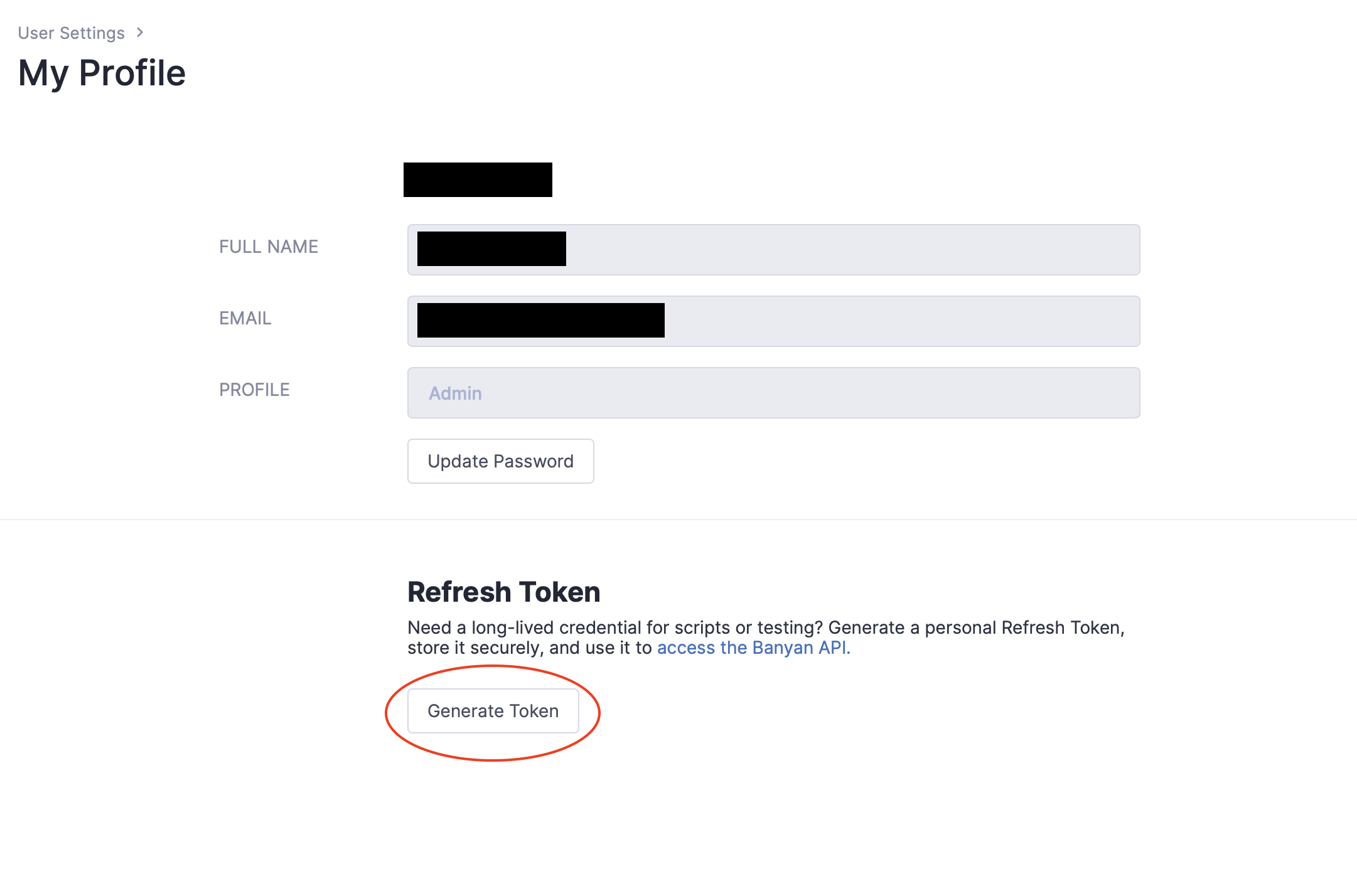
Once you have this long-lived Refresh Token, store it securely. You can then call the /refresh_token API endpoint to receive a short-lived JWT Access Token that can access the API.
POST /api/v1/refresh_token
Authorization: Bearer eyJhb...YOUR_REFRESH_TOKEN

{
  "Message": "eyJhb...YOUR_ACCESS_TOKEN"
}
The equivalent Curl command is:
curl -X POST --header "Authorization: Bearer eyJhb...YOUR_REFRESH_TOKEN" \
     $COMMAND_CENTER_DOMAIN/api/v1/refresh_token

{
  "Message":"eyJhb...YOUR_ACCESS_TOKEN"
}
The Access Token you procured here can be used for Bearer authentication via the HTTP header Authorization: Bearer eyJhb...YOUR_ACCESS_TOKEN to access to the CSE API.
For example, to access the CSE Events API, the HTTP request would look like:
GET /api/v1/events
Authorization: Bearer eyJhb...YOUR_ACCESS_TOKEN
The equivalent Curl command is:
curl --header "Authorization: eyJhb...YOUR_ACCESS_TOKEN" \
     $COMMAND_CENTER_DOMAIN/api/v1/events
Option B - Authentication with API Key
To use API key authentication, create an API key in the Command Center by navigating to Settings > API Keys and select Add API Key. Enter in a descriptive API Key Name and Scope, and store the returned API Key Secret securely.
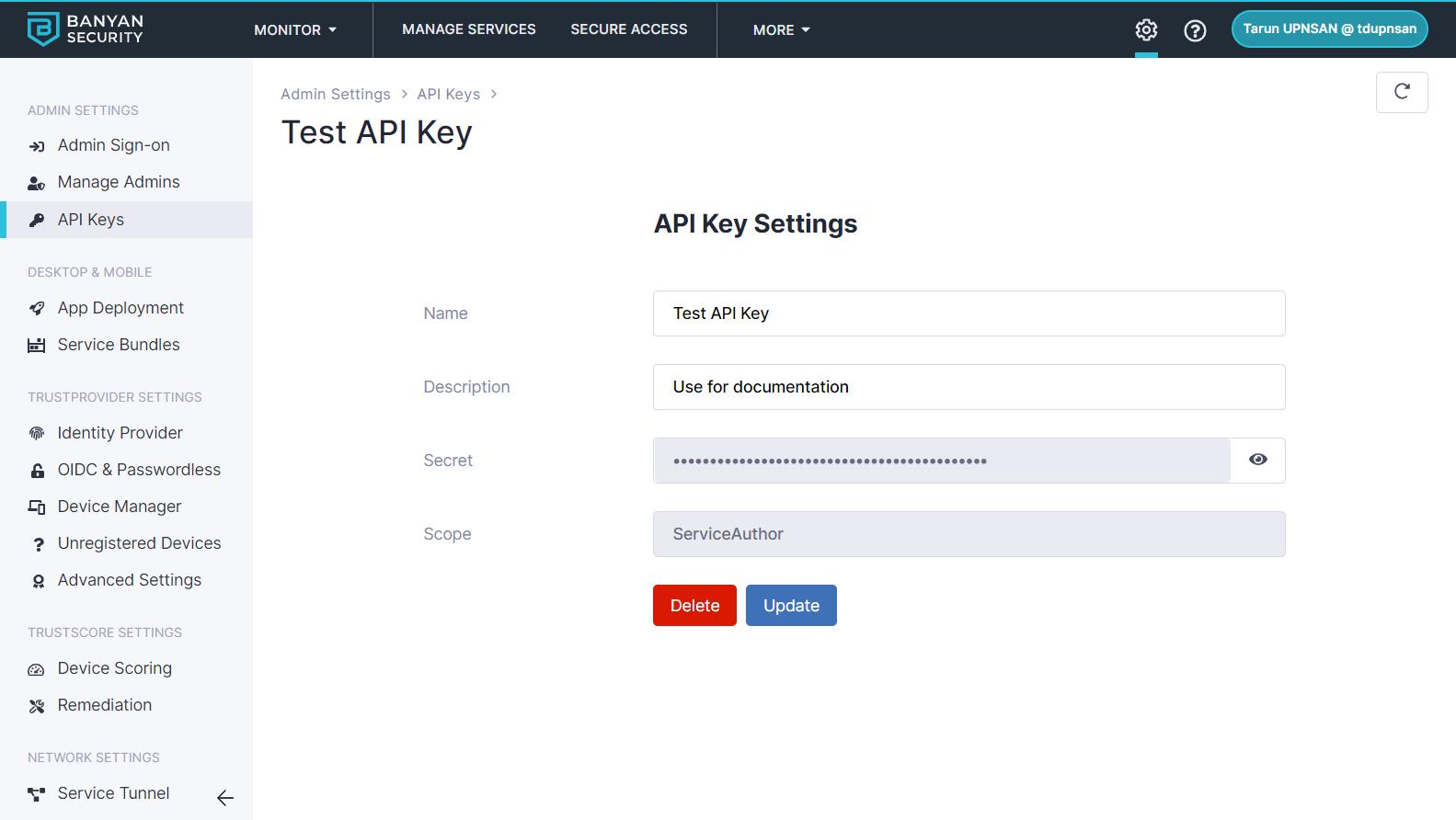
Once you have your API Key Secret, it can be used for Bearer authentication via the HTTP header Authorization: Bearer abcd...YOUR_API_KEY_SECRET to access to the CSE API. The API Key has the privilege level based on the scope that it was created with.
For example, to access the CSE Events API, the HTTP request would look like:
GET /api/v1/events
Authorization: Bearer abcd...YOUR_API_KEY_SECRET
The equivalent Curl command is:
curl --header "Authorization: Bearer abcd...YOUR_API_KEY_SECRET" $COMMAND_CENTER_DOMAIN/api/v1/events